
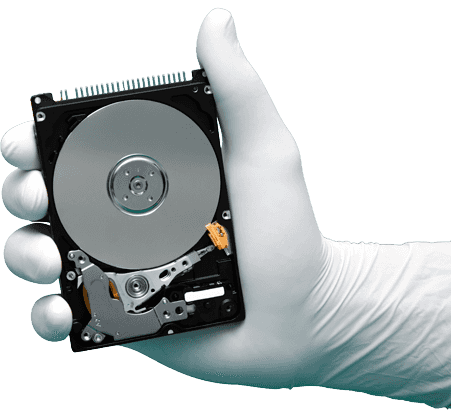

Hard Drive Warranty Service Center
Hard disk not working, clicking or not starting? It has most likely crashed. If it is still under warranty, you can get a free replacement from the manufacturer – but the new drive will be empty. Here is how to check your warranty, claim it, and keep your data safe.
Signs your hard disk has crashed
If you notice any of these, your drive may be failing and your data is at risk:
- Clicking, beeping or grinding noise
- Drive not detected in BIOS or This PC
- Computer stuck on loading or very slow
- Drive spins up and then stops
- Asks to format the drive
- Files and folders suddenly missing
Do not format the drive or keep restarting it. If you need your files, stop using it and call us before sending it for warranty.
How to claim your hard disk warranty
- 1
Find the serial number
Read the model and serial number from the label on the drive. For a drive inside a PC or laptop, the maker’s free diagnostic tool can show them without opening the case.
- 2
Check the warranty online
Enter the serial number on the manufacturer’s warranty page. Most hard disks carry a 2 to 5 year warranty, depending on the model.
- 3
Save your data first
A warranty replacement is always an empty drive. If you need your files, get them recovered before you send the drive away.
- 4
Register the claim
Register a replacement (RMA) on the manufacturer’s support site, or go through the shop or laptop maker you bought it from.
Manufacturer warranty support
Seagate
Check warranty and register a replacement on Seagate’s support site. Seagate also supports Samsung hard disks sold before 2011.
Seagate Support →Western Digital
Hitachi and HGST drives are now supported by Western Digital. Check warranty and start a replacement on WD’s support site.
WD Support →Toshiba
For a drive bought from a shop or fitted in a laptop, the warranty claim usually goes through the shop or the laptop maker.
Toshiba Warranty Info →Samsung
Samsung now makes only SSDs. Check the SSD warranty and support options on Samsung’s storage support site.
Samsung SSD Support →Free tools to test your drive
If your drive still works, test it with a free diagnostic tool. These tools also show the model and serial number you need for a warranty check, without opening your computer.
Note: Do not run long tests on a drive that is clicking or making noise – it can cause more damage. Call us first.
Need your data before the warranty claim?
We recover data from failed drives of all brands. If your drive has to be opened, ask the manufacturer for a data recovery approval letter first, so you can still claim your replacement afterwards.
Why choose us
- No Recovery! No ChargeIf we cannot recover any data, we will not charge you a single rupee for recovery. Only a testing charge of Rs. 300 applies.
- Our ExperienceOver 1,000 recoveries completed every year from all types of storage media.
- Data SecurityWe value your privacy and keep your data completely secure and confidential.
- Free Pickup! Fast Delivery!Just give us a call – we pick up your media and recover your data with a fast turnaround.
- 10 Branches in ChennaiVisit your nearest branch, or call us for doorstep pickup anywhere in Chennai.
- New TechnologyProfessional tools and equipment for hard disks, SSDs, phones and flash memory.
Success Case
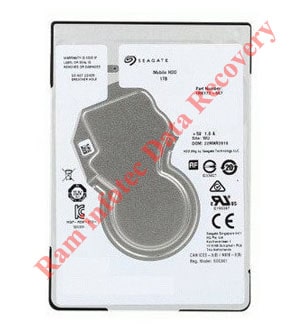
Seagate 2.5″ slim drive – head replacement by Ram Infotech
This head replacement tool can be used on 2.5″ Seagate slim hard drive models with 1 platter and heads parked on a ramp.
It can also be used on 2.5″ Seagate slim models with 2 platters and heads parked on a ramp.
 Hard Drive RecoveryFailed Hard Drive? No Problem!Know more →
 External HDD RecoveryExternal HDD Not Working? No Problem!Know more →
 Laptop Data RecoveryBroken Laptop? No Problem!Know more →
 USB Data RecoveryUSB Drive Not Working? No Problem!Know more →
 RAID RecoveryRAID Array Inaccessible? No Problem!Know more →
 SSD Data RecoveryFailed SSD Drive? No Problem!Know more →
 Deleted Data RecoveryDeleted Important Files? No Problem!Know more →
 SD Card RecoveryFaulty SD Card? No Problem!Know more →
 NAS Data RecoveryWe can help whatever the problem.Know more →

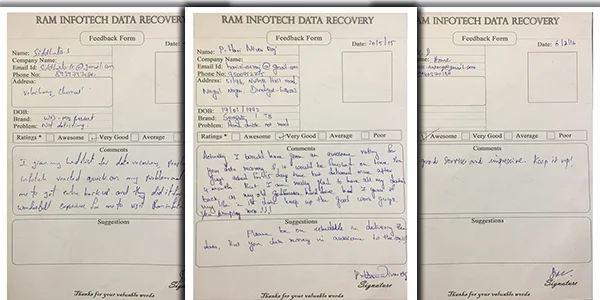
Fantastic service. Professionalism in delivery, trust and commitment. i felt very sad that i may lose my data which are 20+ yrs old.. then i found Ram Infotech and approached them. My sadness turned to contentment in just 4 days. I got all my data. Good Service !
Srinivasa Prasanna

Thank you so much Raminfotech data recovery Team -- very very kind of you people. Once again, I highly appreciate the efficiency and the excellent customer service of Ram infotech Chennai. Many many thanks for everything. My mobile phone not working all data recovery now I am very happy but Mobile not working all care my number photo what up data audio call records full recovery only rs 4500 charges
natarajan natarajan
Data Recovery You Can Trust
Ram Infotech Data Recovery specialises in hard disk, SSD, memory card, RAID and phone data recovery – in fact, we recover lost data from all types of storage media.
Your data is handled confidentially from pickup to delivery.
Thousands of drives, phones and cards recovered for customers across Chennai.
Drives that need to be opened are handled in our clean lab environment.
Professional equipment for hard disks, SSDs, phones and flash memory.
We keep you informed at every stage – no surprises.
Clear quotation before work starts, and no recovery fee if no data is recovered.
3 easy ways to reach us
Walk in to any of our 10 branches in Chennai, Monday to Saturday, 10 AM to 8 PM.
Call us and we will collect your device from your home or office in Chennai.
Pack the device safely and call us before you send it from anywhere in India.
Customer Testimonials

Data Recovery Process
Six simple steps from pickup to getting your files back, with a clear quotation before any work starts.
-
01
Step 1
Door-Step Pickup
We collect your hard disk, SSD or memory device from your home or office.
-
02
Step 2
Analysis & Consultation
Our engineers diagnose the fault and explain what happened to your data.
-
03
Step 3
Best Quotation
You get a clear quotation for the service before any work begins.
-
04
Step 4
Data Recovery
Recovery is carried out using professional tools in our lab.
-
05
Step 5
Data Verification
We check the recovered files so you can see exactly what was saved.
-
06
Step 6
Payment & Hand Over
Pay the recovery fee and collect your recovered data.
Frequently Asked Questions – Hard Disk Warranty
Quick answers to the questions our customers ask most.
How do I check if my hard disk is still under warranty?
Note the model and serial number from the label on the drive, or read them with the manufacturer’s diagnostic tool such as SeaTools. Then enter them on the manufacturer’s warranty check page.
How long is a hard disk warranty?
It depends on the brand and model. Most hard disks carry a warranty of 2 to 5 years. Check the exact period on the manufacturer’s website.
Will I get my data back with a warranty replacement?
No. A warranty claim gives you a replacement drive, which will be empty. Your old drive and the data on it are not returned, so recover your data before claiming the warranty.
Can you recover my data and then I claim the warranty?
Yes. We recover your data first. If the drive has to be opened, ask the manufacturer for a data recovery approval letter to protect your warranty.
Where do I claim warranty for Seagate, WD, Samsung or Hitachi drives?
Warranty claims are handled by the manufacturer and its authorised service partners. Use the support links on this page to register your claim and find the nearest service centre.
My drive is clicking and under warranty. What should I do first?
Stop using the drive. If you need the data, contact us before sending the drive for replacement, because the replaced drive will not be returned to you.
What are your opening hours?
We are open Monday to Saturday, 10:00 AM to 8:00 PM. Sunday is a holiday. Call 070921 14422 or WhatsApp us to book a consultation.
Still have a question? Call 070921 14422 or WhatsApp us.
Our Clients











Our Branches
Visit your nearest branch, or call us for free pickup and delivery.















Google Reviews
- Fantastic service. Professionalism in delivery, trust and commitment...
Srinivasa Prasanna - Thank you so much Raminfotech data recovery Team ...
natarajan natarajan - Write A Review
-