

SD Card Data Recovery
Memory card not detected, asking to be formatted, or photos deleted? Our engineers in Chennai recover data from SD and microSD cards from phones, cameras, drones, dashcams and CCTV.
How we recover your data
Memory cards fail in different ways – a corrupted file system, a broken card, or a failed controller. We use the right method for each:
Find the cause
We test the device to see whether the fault is in the connector, the controller or the memory chip, or a logical problem.
Repair or read directly
Broken connectors are repaired, and for dead controllers we can read the memory chip directly using specialised equipment.
Recover & verify
We rebuild the files and send you a file list to check before you pay.
Problems we fix
Physical damage
Device damaged? No problem!- Card not detected by phone, camera or PC
- Card cracked, bent or broken
- Water or heat damage
- Card shows 0 MB or wrong size
- Card became read-only
- Card stopped working in the device
Logical problems
Files missing? No problem!- Card asks to be formatted
- Photos or videos deleted
- Card formatted by mistake
- RAW or unsupported file system
- Files corrupted or will not open
- Files hidden by a virus
All memory cards
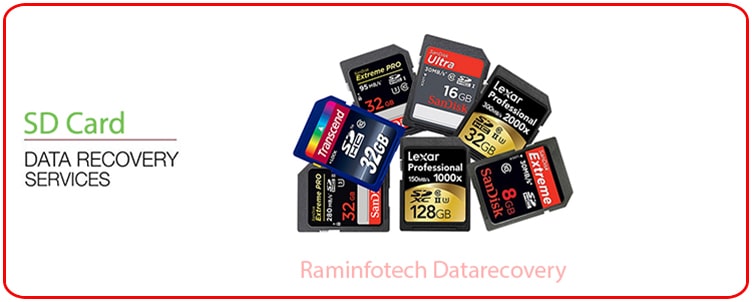
We recover data from SD, SDHC, SDXC and microSD cards of all brands and capacities, including monolithic cards.
Why choose us
- No Recovery! No ChargeIf we cannot recover any data, we will not charge you a single rupee for recovery. Only a testing charge of Rs. 300 applies.
- Our ExperienceOver 1,000 recoveries completed every year from all types of storage media.
- Data SecurityWe value your privacy and keep your data completely secure and confidential.
- Free Pickup! Fast Delivery!Just give us a call – we pick up your media and recover your data with a fast turnaround.
- 10 Branches in ChennaiVisit your nearest branch, or call us for doorstep pickup anywhere in Chennai.
- New TechnologyProfessional tools and equipment for hard disks, SSDs, phones and flash memory.
Success Case
-
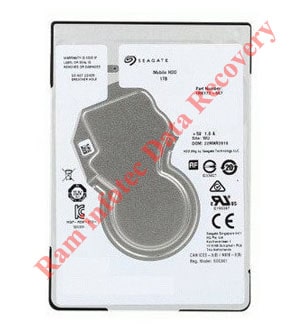
Sea 2.5″ Slim 1 Hedad Replacement Possibles By Ram infotech
This head replacement tool can be used on 2.5” Seagate slim hard drive models which have 1 platter and with their heads parked on a ramp.
This head replacement tool can be used on 2.5” Seagate slim hard drive models which have 2 platters and with their heads parked on a ramp.



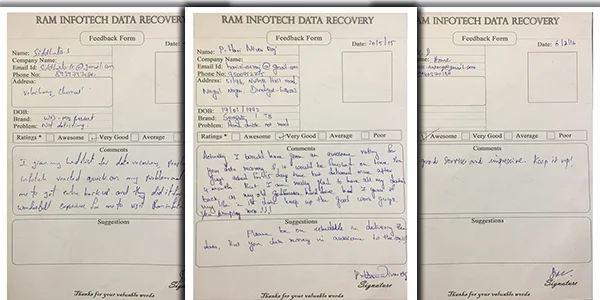
Fantastic service. Professionalism in delivery, trust and commitment. i felt very sad that i may lose my data which are 20+ yrs old.. then i found Ram Infotech and approached them. My sadness turned to contentment in just 4 days. I got all my data. Good Service !
Srinivasa Prasanna

Thank you so much Raminfotech data recovery Team -- very very kind of you people. Once again, I highly appreciate the efficiency and the excellent customer service of Ram infotech Chennai. Many many thanks for everything. My mobile phone not working all data recovery now I am very happy but Mobile not working all care my number photo what up data audio call records full recovery only rs 4500 charges
natarajan natarajan
How we recover data from damaged memory cards
Most microSD cards are ‘monolithic’ – the controller and memory are combined in one tiny chip. When such a card stops working, we use specialised equipment to read the memory directly through test points on the card, and then rebuild your photos and videos.
If the card is only corrupted or formatted, recovery is usually quicker. Stop using the card straight away so that new photos do not overwrite the old ones.
- Remove the card from the phone or camera straight away.
- Do not format the card, even if the device asks you to.
- Do not take new photos or videos on the same card.
- Bring the card to us as soon as possible.
Customer Testimonials

Data Recovery Process
Six simple steps from pickup to getting your files back, with a clear quotation before any work starts.
-
01
Step 1
Door-Step Pickup
We collect your hard disk, SSD or memory device from your home or office.
-
02
Step 2
Analysis & Consultation
Our engineers diagnose the fault and explain what happened to your data.
-
03
Step 3
Best Quotation
You get a clear quotation for the service before any work begins.
-
04
Step 4
Data Recovery
Recovery is carried out using professional tools in our lab.
-
05
Step 5
Data Verification
We check the recovered files so you can see exactly what was saved.
-
06
Step 6
Payment & Hand Over
Pay the recovery fee and collect your recovered data.
Frequently Asked Questions – SD Card Data Recovery
Quick answers to the questions our customers ask most.
My memory card is not detected. Can you recover the photos?
Often yes. We can read the memory chip directly using specialised equipment, even when the card is not detected.
My phone says the SD card is damaged and asks to format it. What should I do?
Do not format it. Remove the card and contact us. Formatting can make recovery harder.
Can you recover photos from a broken or cracked microSD card?
Sometimes. If the memory area is not damaged, we can read it directly. Bring all the pieces with you.
Can you recover videos from a dashcam, drone or CCTV card?
Yes. We recover video files from cards used in dashcams, drones, action cameras and CCTV systems.
Can you recover deleted photos from a memory card?
Usually yes, as long as no new photos have been saved on the card since.
Do you recover CF cards too?
Yes. See our CF card data recovery page.
Do I have to pay if my data cannot be recovered?
No. We work on a ‘no data, no fee’ basis. You pay the recovery fee only after you have checked the recovered file list and are happy with the result.
What are your opening hours?
We are open Monday to Saturday, 10:00 AM to 8:00 PM. Sunday is a holiday. Call 070921 14422 or WhatsApp us to book a consultation.
Still have a question? Call 070921 14422 or WhatsApp us.
Our Clients











Our Branches
Vadapalani Adyar Tambaram Ambattur Velachery Porur Madipakkam Omr Guduvanchery Villivakkam















Google Reviews
- Fantastic service. Professionalism in delivery, trust and commitment...
Srinivasa Prasanna - Thank you so much Raminfotech data recovery Team ...
natarajan natarajan - Write A Review
-